By Caleb Castillo September 15, 2026
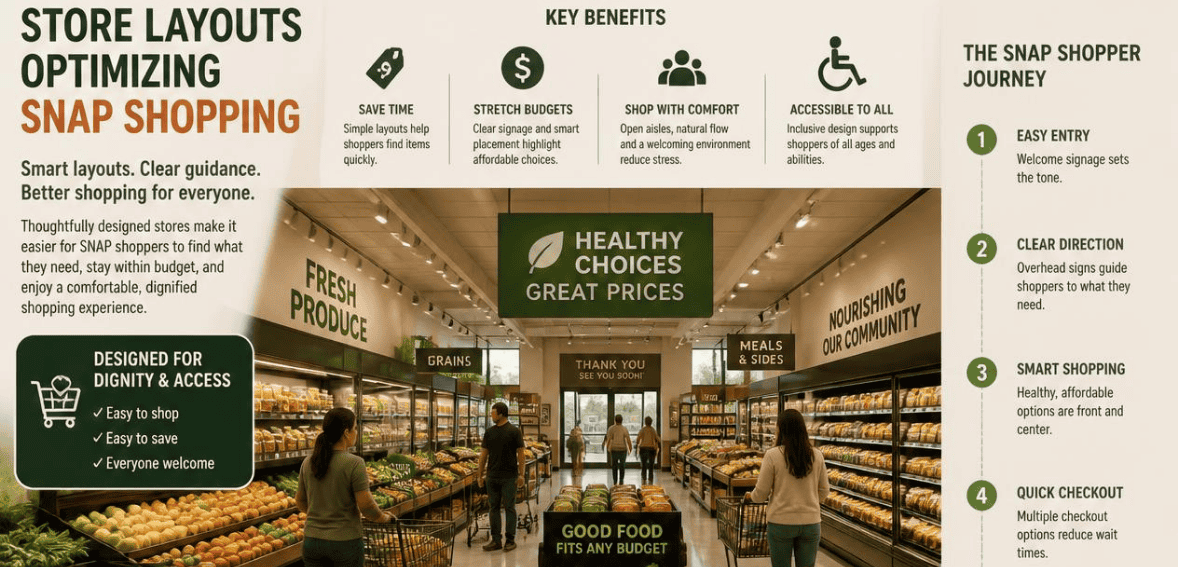
Picture a shopper walking into a corner store on the first of the month. Their EBT card is loaded. Their grocery list is short but specific. And they have about ten minutes before the bus comes. In a cramped, cluttered store, that trip turns into a scavenger hunt. In a well-planned one, they find everything, pay with confidence, and walk out happy. The difference is not square footage. It is design.
Small retailers cater to a large portion of SNAP shoppers. There are more than 250,000 EBT-accepting retailers in the country. A large portion of those are small retailers, convenience stores, bodegas, and similar neighborhood markets. SNAP serves roughly 42 million Americans each month. Many beneficiaries of SNAP live within walking distance of small local convenience stores and not supermarkets. This is why the layout of your store is important. An EBT-friendly store layout can help make the SNAP shopping experience fast and easy and more likely to result in a sale.
This guide presents layout ideas to help you better utilize your store’s space with no planned budget for renovations.
Why an EBT-Friendly Store Layout Matters for Small Stores
SNAP shoppers usually have limited time and money to shop with. Monthly benefits are approximately $187 per person, meaning that SNAP customers are vigilant about spending every dollar. Lack of clear information regarding which items qualify for SNAP leads customers to guess, creating hesitation and leading to abandoned purchases.
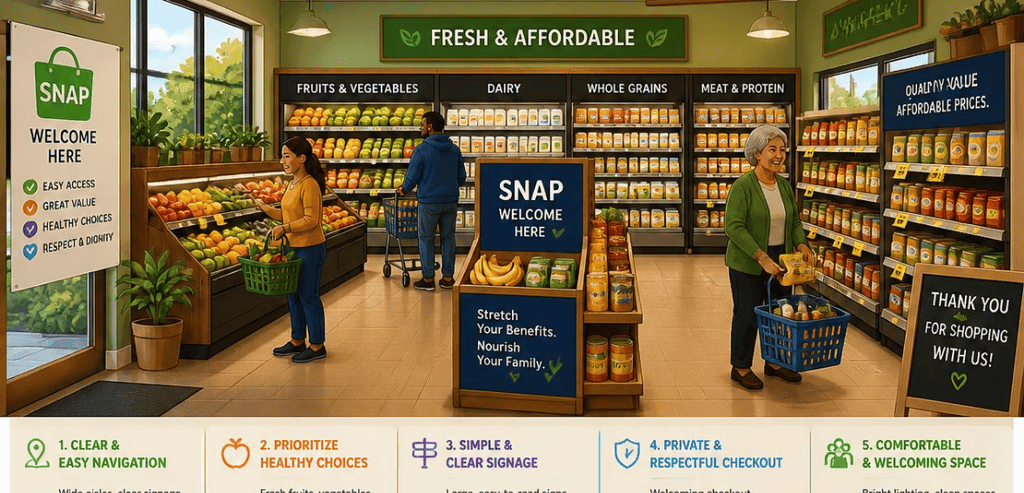
Designing a store layout to include SNAP-eligible food eliminates this confusion. This informs customers which SNAP-eligible food is available and eligible at SNAP, assisting customers to quickly and efficiently finding SNAP-eligible food and resolving any confusion at checkout. Without having to lay out SNAP-eligible food at checkout, stores do not have to comply with a federal requirement. The USDA mandates that stores at SNAP have to include a set baseline of SNAP foods. A store layout will ultimately have to organize that food.
Good design also builds loyalty. When a store feels easy to shop, people come back. In a neighborhood where word travels fast, that reputation is worth real money.
Start With Customer Flow, Not Shelves
Consider how you design your store based on how people pass through the space. The majority of people walk into a store and take an immediate right. People tend to walk the walls of the store and then move inward. You can design your store accordingly.
Put the staples that are fresh and that go bad on the walls of the store. Put the produce, dairy, and the other refrigerated items on the walls. Keep the walls in the direct flow of your customers. It will keep in line with your customers’ habits, and it will keep in line with SNAP stocking requirements. Keep the aisles in the middle of the store short and with a low inventory. Long and high-inventory aisles will create a maze.
Grid patterns work well with convenience stores because they help with visibility and quick navigation. A loop pattern, or a race track pattern, will help direct customers to go past the displays and will help guide customers without creating dead ends. For the convenience of your customers, and especially for SNAP customers, your store needs to be simple and easy for a first-time customer to navigate.
Group SNAP-Eligible Staples Together
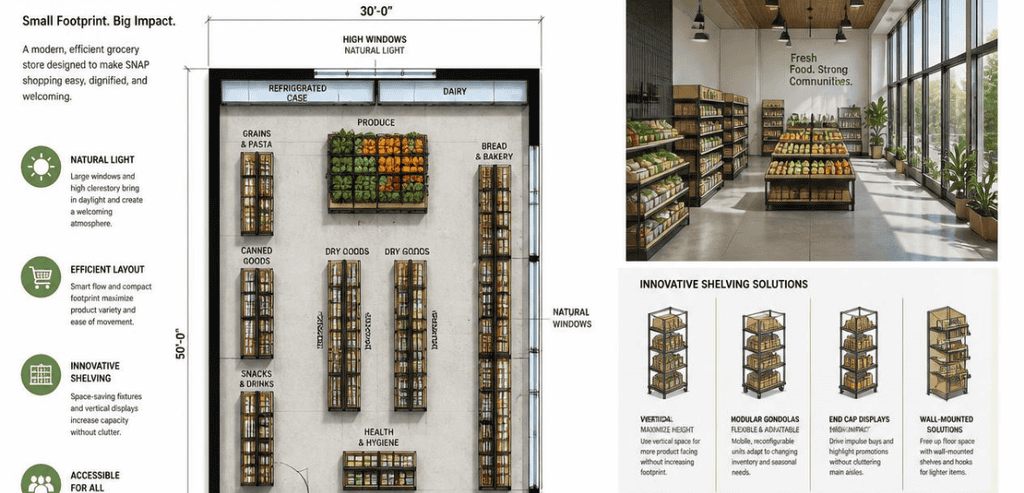
One of the easiest wins is grouping eligible staple foods in logical zones. When bread sits near cereal, and canned vegetables sit near canned beans, shoppers build their basket faster. This is standard category management, and it costs nothing but a little planning.
Cross-merchandising plays a huge role in savings too! By merchandising items together, a shopper won’t make an extra trip around the store to find it. Rice by beans. Pasta by canned tomatoes. These placements are convenient and increase the average basket size. While planning placement throughout the store, remember the SNAP rule. It applies to all foods meant for home cooking unless served hot. Keep prepared hot meals, alcohol, tobacco, and supplements away from SNAP-eligible areas.
The last part is the signage. Well-placed shelf tags informing a shopper of EBT eligibility remove any guesswork. goEBT, for example, has a product that is an “EBT Eligible Item” label for shelves that slide into shelf space. A blue tag placed next to a product is all the information a shopper needs. There is no need to approach a cashier.
Make the Most of a Tight Footprint
Small stores cannot compete on size, so they compete on efficiency. A few space-smart tricks make a cramped store feel open and organized.
Light walls, or mirrored surfaces, in a tight space help diminish a space’s stress. With signs and floor graphics, you can create definitive spaces in your store without the hassle of adding a fixture. Use different shelf heights to break the monotony of tall walls and help display products. Put quick-grab products at the store entry to help catch the quick, busy customer. Wide aisles help style your store to accommodate parents with strollers and the elderly with carts, showing particular respect to your store’s largest customer base of SNAP recipients.
The idea is not to take the store’s real estate and fill it up with more products. The idea is to keep in mind store layout and help products be more accessible. A store’s breathability and layout is far more useful than a packed store.
Design the Checkout for Split-Tender Sales
Checkout is where SNAP shopping gets tricky, and where good layout pays off most. Many baskets contain a mix of eligible and non-eligible items. Your point-of-sale system needs to handle split-tender transactions, so the EBT card covers the SNAP-eligible food and the customer pays the rest with cash or a card.
Please design the counter area with consideration for this need. It should be clear of clutter so that the cashier can easily process both payment methods. Place an “EBT Accepted Here” sign both at the register and on the front door. This will convey to shoppers that they are shopping at the correct store even before they start shopping.
New regulations mean that this will become even more necessary. Starting in 2026, several states are beginning to ban items that were EBT-eligible, such as soft drinks, candy, and energy drinks; the banned items will be specific to the states that your store operates in. That means that some items will not be eligible for EBT and will not be able to be rung up at the EBT self-checkout. It is helpful for customers to have shelf talkers to indicate which items do not qualify for EBT to avoid slower lines at self-checkout. A note stating that an item does not qualify for EBT in that state will alleviate some of the discomfort.
Boost Local Search So SNAP Shoppers Find You
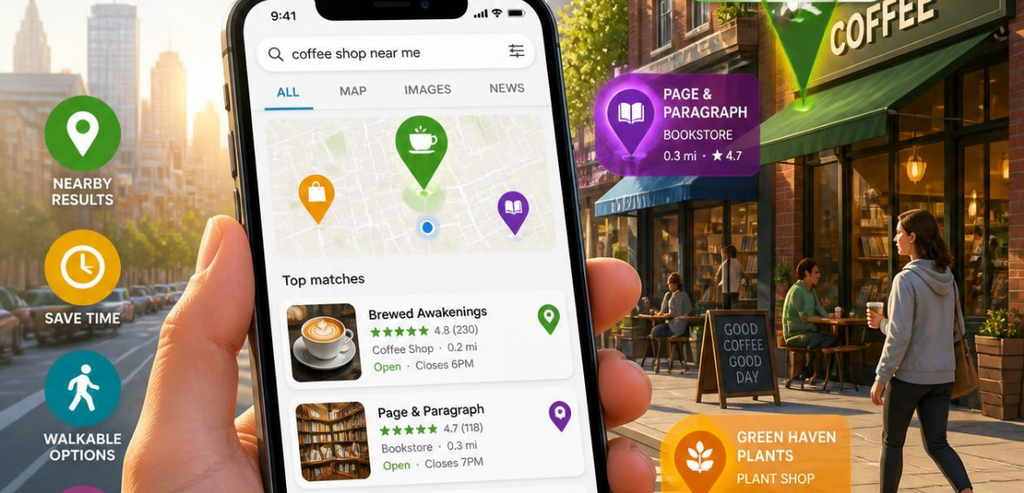
A great EBT-friendly store layout only helps the people who walk through your door. To get more of them there, you need to show up in local search. This is where digital presence meets physical design.
Be sure stores are listed on the USDA SNAP Retailer Locator. Many consumers use this resource to help find stores that are closest to them and accept SNAP. Access the retailer resource page, and claim/update your Google Business Profile. Fill out all sections, and indicate SNAP and EBT acceptance under your store hours and address.
The importance of photos is often underappreciated, and Business Profiles are especially photo-centric. Capture clear images of your store and your shelves. Be the store that SNAP customers click on when they search for “Stores that accept EBT near me.” Encourage customers to leave reviews. Local reviews increase visibility of your store to search engines.
Store layout and local search reinforce one another. Photos of neat store layouts are frequently searched and become the destination of the search. The loop continues long after you have established your store layout and posted photos to your Business Profile.
A Simple Layout Checklist Owners Can Act On Today
Definitely take the DIY route first. Picture yourself as a first-time SNAP shopper making a mad dash through your store. With that image in your mind, walk through your store and take note of the areas that would cause you to hesitate as a shopper. With this information, you can correct those areas.
SNAP shoppers will feel a lot more comfortable and less hesitant when you move your perishables to the outer walls of the store. Place like items together, add shelf labels to indicate EBT eligibility, and remove obstacles from the checkout by clearing the counter and putting up signs to indicate EBT acceptance. Make sure your business supports EBT by showing it online. Your business will sell more and serve your community more when SNAP shopping is easier. Best of all, improving these things won’t require a remodel.
Conclusion
A small store is not a disadvantage. It is an opportunity to be fast, friendly, and easy to shop. SNAP customers reward stores that respect their time and their budget. An EBT-friendly store layout does exactly that. It guides shoppers to eligible food, marks those items clearly, and makes checkout smooth even when a basket mixes payment types.
The best part is that most of these changes are free or cheap. Move a shelf. Add a tag. Post a sign. Update a listing. Then watch how a clearer, calmer store turns quick visits into loyal customers. In a neighborhood built on trust and convenience, that is how a small footprint wins.
Frequently Asked Questions
What is an EBT-friendly store layout?
It is a store design that helps SNAP shoppers find eligible food quickly and pay easily. It uses clear signage, logical product grouping, and a checkout set up for split-tender payments. The goal is to reduce confusion and speed up the trip for customers using EBT cards.
How many staple foods does a small store need to accept SNAP?
Most small stores qualify under the USDA’s Criterion A. That means stocking at least 36 staple food items across four categories, with perishable options in at least two of them. Check the current USDA Food and Nutrition Service guidance, since stocking standards were updated to take effect in late 2026.
Do I need special signs to show which items are SNAP-eligible?
Signs are not federally required on every shelf, but they help a lot. Simple “EBT Eligible Item” shelf tags reduce confusion and cut down on awkward moments at checkout. An “EBT Accepted Here” sign at the door and register also reassures shoppers before they start browsing.
Why do some previously eligible items no longer qualify for SNAP?
Starting in 2026, several states began restricting items such as soft drinks, candy, and energy drinks under new waivers. The exact list varies by state. Retailers should update their point-of-sale systems and post clear shelf notices so shoppers know what has changed before they reach the register.