
A cashier grabs a disinfectant wipe, gives the payment terminal a quick scrub, and moves on. It seems harmless. Then the next customer inserts an EBT card, and the screen flashes a tamper error. The device is now bricked. No transactions until a technician resets it, and that call is not free.
It is common for shop owners to have issues with payment terminals for reasons they may not understand. Damage to payment terminals can be self-inflicted. Payment terminals view a variety of situations as attacks. Something like a sudden cleaning wipe pressure, exposure to cleaning chemicals or an unexpected knock can be viewed as an attack and can disable a payment terminal.
The good news is, if you understand how payment terminals detect cleaning, you can avoid damage during cleaning. This guide explains EBT PIN pad cleaning while keeping payment terminals clean and in perfect working condition.
Why EBT PIN Pad Cleaning Is Trickier Than It Looks
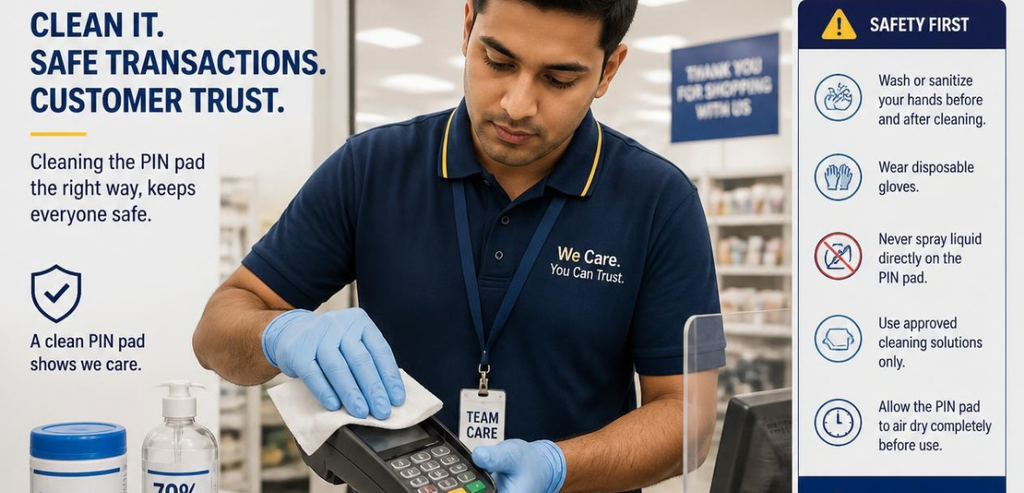
A PIN pad is not a simple keyboard. It is a secure device that stores encryption keys used to protect a cardholder’s Personal Identification Number. Because it sits at the center of every transaction, it is a prime target for criminals who want to steal payment data.
Sensitive equipment leads to creative solutions by builders. One such solution is tamper mesh. This consists of a grid of tiny connected squares of circuitry, surrounding sensitive equipment. If an enclosure is pried or drilled open, one of the squares is disconnected, and the circuitry is reconfigured. The equipment will know the mesh was breached. Some devices implement tamper switches that open when the cover is shifted even slightly.
The circuitry will not be the only thing to complain about a breach. The tampering circuitry will erase stored keys and shut down the system. The worst of the consequences that could occur to a system to comply with payment security standards. Unfortunately, the system does not differentiate between the thief with the screwdriver and the good employee who is cleaning with a soaked rag and is pressing the cover too hard.
This is the reason EBT PIN pad cleaning is of utmost importance. These devices dispense SNAP and cash benefits which are needed by families to buy food. A non-working PIN pad when a customer attempts to make a transaction is especially inconvenient to the customer.
What Actually Triggers a Tamper Alert During Cleaning
Understanding the triggers is half the battle. Most accidental tamper events trace back to a few avoidable mistakes, and knowing them changes how your team handles the device.
There are three major ways to trigger a tamper alert. The first and most common is using excessive force. Applying too much pressure on a keypad or touchscreen or scrubbing with excessive pressure, can damage the housing and trigger a sensor. Shaking or banging the unit may also cause this. Verifone warns that shaking the terminal on its own is an easy way to trigger the alert and lock the device.
The second most common way to trigger a tamper alert is with the use of harsh chemicals. Solvents such as bleach and acetone can destroy the adhesive and protective coating on the security housing. As the seals deteriorate, the device may alert to a tamper breach. Permanent damage can be caused to the device as these chemicals also crack plastic and rubber.
The third most common way to trigger a tamper alert is with moisture. Directly spraying terminal cleaning solution can cause moisture to enter the ports, buttons, and card slots. This can cause a short circuit and also confuse the tamper system. Moisture in the wrong place can be very damaging for any electronic device with security features.
The Right Way to Approach EBT PIN Pad Cleaning
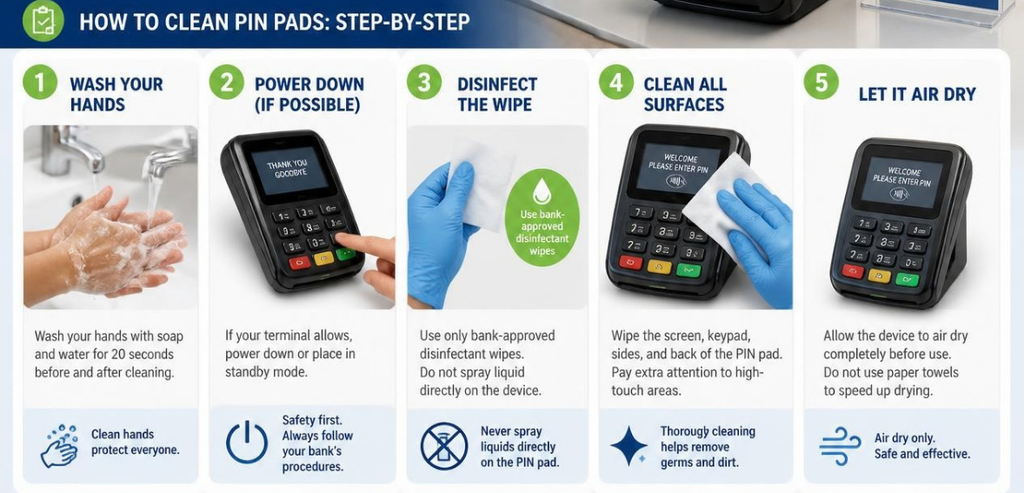
Safe cleaning follows a gentle, deliberate rhythm. Start by powering the terminal down and, when possible, unplugging the power supply and cables before you begin. A device that is off and disconnected is far less likely to misread your cleaning as an attack.
The first thing to remember is to only apply the cleaning solution to the cloth and NEVER to the terminal. The cleaning solution should be used to slightly dampen a cloth. Microfiber, lint-free cloths are the best option. Once the cloth is prepared, wipe the terminal in a single direction or in soft circles, being careful not to lean into the keys. Do not use abrasive cleaning materials, as they will scratch the terminal.
Avoid getting any cleaning solution on the terminal openings or on the connections. Once done, allow the terminal to air dry. It is important that the terminal is completely dry before the power is turned back on. It is good terminal cleaning practice to avoid turning on a terminal that has not completely dried from cleaning. It is good practice to maintain the terminal cleaning slow and steady to protect the terminal.
Manufacturer Guidance Always Comes First
Here is the detail that trips up even experienced merchants: what is safe for one brand can trigger a warning on another. Manufacturers use different materials, coatings, and security configurations. A cleaning routine that works perfectly on one terminal can flag a false tamper alert on a different model, complete with a service call and a technician reset that can run a few hundred dollars.
So before you standardize a routine across a fleet of mixed devices, check the manual for each brand. The short profiles below reflect widely published guidance, but your specific model may have its own rules.
Verifone
Verifone is conservative when it comes to moisture. Lightly damp microfiber cloths can be used on their devices for cleaning, followed by alcohol-based wipes for disinfection. They state that you should never spray, pour or coat liquid directly onto the unit. They also advise never to use solvents or detergents, or any abrasive cleaners. As a final note, they stipulate never to shake the device as the motion alone can trigger a tamper alarm.
Ingenico
Ingenico guidance depends heavily on the exact model, which is why reading the manual matters so much here. For many terminals, Ingenico recommends a lint-free cloth very lightly dampened with soapy water for the exterior. Alcohol tolerance varies: on some touch models with a glass display, a 70% isopropyl alcohol solution is acceptable, while on certain non-touch models with a plastic lens it is not. Across the board, Ingenico says to avoid cleaning the electrical connections, skip aerosol sprays, and keep moisture out of any opening.
PAX and Dejavoo
PAX, Dejavoo, and other big players in the market publish their own manuals, and while they may differ in details, they all follow the same general guidelines. The approved cleaning agents should be used and should be applied with a wipe rather than a spray. Do not use aggressive solvents. Due to the fact different models have varying tolerances, do not assume other manufacturers’ manuals have a similar routine and carry over, rather, treat the manufacturer’s manual as the final word.
Cleaning the Card Reader Is a Separate Job
Cleaning the housing does keep the terminal neat, but does not help the part that customers actually swipe or insert. Unsanitary magnetic-stripe readers and chip slots result in reading errors, failed transactions, and repeated swipes that frustrate people in line. An increase in errors while reading cards is usually an indication that the card reader needs maintenance.
For this purpose, you use cleaning cards instead of cloths. Cleaning cards are designed to be inserted into the card reader, which will remove all the dirt, residue, and buildup from the internal contacts.
Waffletechnology Cleaning Cards
Waffletechnology is a widely used cleaning-card format, and Verifone approves it as a preventative cleaning tool for its terminals. The cards use a spring-loaded ridged design and ultra-pure isopropyl alcohol to reach recessed sensors inside the reader. Running one through the card slot on a weekly basis helps maintain readability and cut down on misreads. It is a small habit that keeps EBT transactions moving smoothly.
Build a Cleaning and Inspection Routine
Consistency beats intensity. Light daily cleaning removes germs and dirt. The touchscreen, keypad, and housing can be wiped down. Cleaning cards can be used weekly. Additional time may be scheduled monthly to inspect the terminal ports, space, cable, and dust buildup.
Cleaning a terminal can assist with your security obligations as well. When maintaining compliance with PCI DSS standards, Requirement 9, each inspection of a terminal provides a security review. During the inspection, skimmers, overlays, gaps in case security, broken security seals, and missing screws may be easily identified.
Logging these inspections and cleaning provides a maintenance record. This helps you and your auditors by providing a record that shows you care for and regularly inspect your payment devices. When logs are well maintained, an inspection for a cleaning chore may provide compliance benefits.
Why EBT PIN Pad Cleaning and Fraud Prevention Belong Together
EBT skimming is especially harmful because it is focused on target populations. Maine’s EBT skimming attack, for example, targeted families in need and stole more than $438,000 in SNAP. This left over 1,800 families without food benefits to feed themselves for several weeks.
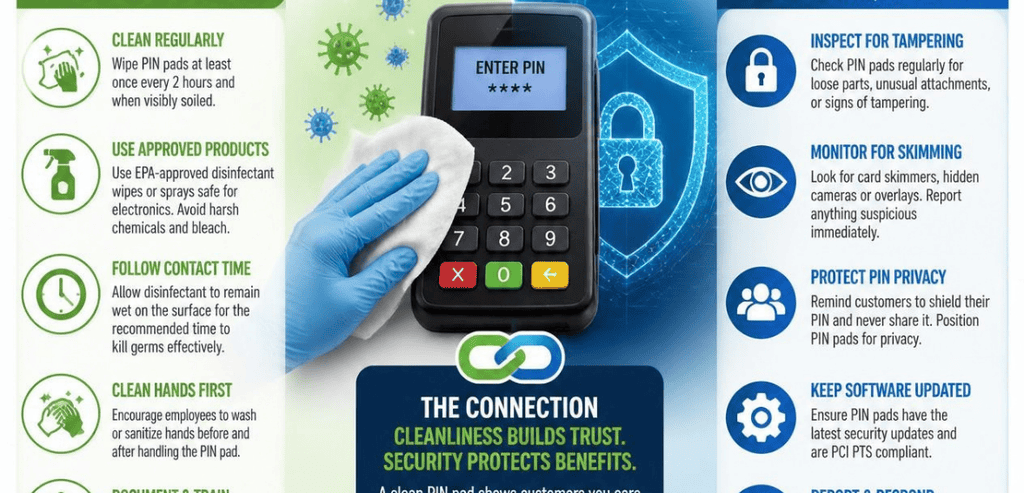
This is why it is essential to develop inspection habits in every terminal cleaning employee. Because every employee cleans terminals, they get a sense of what a terminal should look like to them. If it becomes a habit for them to inspect for a terminal, they will notice a terminal that has a card slot that is abnormally protruding, a terminal that has a panel that is loose, and a terminal that has an abnormally positioned keypad. Criminals look for terminals that are not inspected closely, so the presence of a cleaning crew is a deterrent on its own.
Train your employees to guard a terminal in the same way that they guard cash drawers. Terminals should be secured in a store when it is closed and should be in plain sight of employees during operating hours. This serves to protect the terminal hardware and the recipients of the terminal benefits.
Final Thoughts
Clean payment terminals are not just about appearances. They are about uptime, customer trust, and the security of sensitive data. The trap is that these devices defend themselves so aggressively that careless cleaning can knock them offline in seconds.
Get the fundamentals right, and the risk nearly vanishes. Power down first, apply cleaner to a soft cloth instead of the device, wipe gently, keep liquid away from openings, and let everything dry before powering back on. Follow the manufacturer’s manual for each brand, use cleaning cards for the reader, and fold a quick tamper inspection into every session. Done consistently, EBT PIN pad cleaning keeps your terminals sanitary, reliable, and ready to serve the families who count on them.
Frequently Asked Questions
Can I use a regular Clorox or disinfectant wipe on an EBT PIN pad?
It depends on the brand and model. Some terminals tolerate a 70% alcohol or approved disinfectant wipe, while others do not. Never assume. Check the manufacturer’s manual, apply the product to a cloth rather than the device, and avoid bleach, ammonia, and acetone entirely, since those chemicals can degrade seals and trigger tamper alerts.
Will wiping the keypad accidentally trigger a tamper alert?
A gentle wipe will not. Trouble comes from pressing hard, scrubbing aggressively, or shaking and banging the unit. Use light pressure with a soft microfiber cloth, keep the device steady, and clean while it is powered off when you can. That approach keeps the tamper system calm.
How often should I clean an EBT terminal?
A light surface wipe daily keeps it sanitary and lets you inspect for tampering. Run a cleaning card through the card reader about once a week to prevent read errors. Once a month, check cables, ports, and printer parts and clear any dust. Logging this work supports your PCI compliance.
What do I do if my PIN pad already shows a tamper error?
Stop using it and contact your payment processor or equipment provider. A triggered tamper alert usually wipes the device’s security keys, so it needs a professional reset or reinjection before it can process transactions again. Do not try to force it back on or open the case yourself.